

Website migrations rank among the most nerve-wracking decisions business owners face. Site migrations can be one of the scariest and riskiest changes you’ll make to your digital presence, yet they’re often unavoidable as technology evolves and business needs shift. The good news? Understanding the process and implementing proven strategies transforms this complex undertaking into a manageable project with measurable success.
Table of Contents
- Understanding The Risks And Challenges Of Website Migration
- Planning Your Website Migration: Audits, Mapping, And Strategy
- Executing The Migration: Technical Considerations And Seo Best Practices
- Post-Migration Monitoring And Recovery: Managing Traffic And Seo Impact
- Optimize Your Hosting For Smooth Website Migrations With Thunderhosting
- Frequently Asked Questions
Key takeaways
| Point | Details |
|---|---|
| Planning prevents disasters | Comprehensive audits, URL mapping, and team coordination eliminate most migration failures before launch. |
| SEO preservation is achievable | Proper 301 redirects and monitoring protect rankings despite temporary traffic fluctuations. |
| Recovery takes patience | Most sites experience 10-30% traffic dips initially but recover within 2 to 4 weeks with careful monitoring. |
| Technical execution matters | CMS switches and URL changes require rigorous testing and phased rollouts to catch errors early. |
Understanding the risks and challenges of website migration
Your concerns about migration aren’t paranoia. They’re justified caution based on real industry patterns where execution gaps create lasting damage.
The technical complexity alone doesn’t doom migrations. Instead, coordination failures between teams with different priorities cause most spectacular crashes. Marketing teams prioritize brand consistency while developers focus on functionality and SEO specialists obsess over preserving rankings. When these groups work in silos, critical details slip through cracks.
SEO and traffic preservation create the highest stakes. You’ve spent years building authority and rankings that drive qualified visitors. One misconfigured redirect or forgotten canonical tag can erase months of growth overnight. The fear is real because the consequences are measurable in lost revenue and opportunities.
Downtime fears keep business owners awake at night, and rightfully so. Every minute your site stays inaccessible translates to frustrated customers and abandoned transactions. Modern users expect instant access, making even brief outages feel catastrophic to your brand reputation.
Understanding these risks doesn’t mean accepting failure. It means preparing realistic timelines, allocating proper resources, and building safety nets that catch problems before users notice them. For guidance on planning your migration journey, explore our website migration step-by-step guide for detailed workflows.
“Migration success depends less on technical skill and more on meticulous coordination across stakeholders who rarely share the same priorities or vocabulary.”
Common migration pitfalls include:
- Underestimating timeline requirements and rushing critical testing phases
- Failing to document current site architecture before making irreversible changes
- Skipping comprehensive redirect mapping that covers every indexed URL
- Neglecting mobile and international versions during planning stages
- Launching without stakeholder alignment on success metrics and recovery plans
Planning your website migration: audits, mapping, and strategy
Your migration success gets determined weeks before launch day through systematic preparation that identifies risks and creates mitigation strategies.
Start with a detailed pre-migration audit identifying elements contributing to rankings and traffic patterns. Catalog every page, noting which ones drive conversions and which hold valuable backlinks from authoritative domains. This inventory becomes your blueprint for preservation priorities during the transition.

URL mapping forms the foundation of SEO preservation. Create a spreadsheet documenting every current URL alongside its target destination, including traffic volume, keyword rankings, inbound links, and internal linking relationships. This granular mapping ensures no high-value page gets forgotten or incorrectly redirected.
Pro Tip: Use Screaming Frog or similar crawling tools to spider your entire site, capturing every URL variant including parameter strings and mobile versions that manual audits often miss.
301 redirect planning deserves obsessive attention to detail. Map redirects at the individual page level rather than broad category rules. Each old URL must point to its most relevant new equivalent, preserving topic continuity and user intent. Avoid redirect chains that pass through multiple hops, as each jump dilutes link equity and slows page loads.
Upfront planning and defining workflows early prevents the chaos that derails migrations. Establish clear roles using frameworks like RACI matrices that specify who’s responsible, accountable, consulted, and informed for each task. When everyone knows their lane, coordination improves dramatically.
Phased rollout strategies minimize risk exposure:
- Launch in staging environments that mirror production settings exactly
- Test with internal teams and limited user groups before full deployment
- Roll out section by section rather than migrating everything simultaneously
- Maintain parallel environments temporarily so you can revert quickly if problems emerge
- Schedule migrations during low traffic periods to reduce impact on active users
- Build rollback procedures before you need them, not during crisis moments
For businesses requiring robust infrastructure during transitions, review secure website hosting process swiss businesses to understand how reliable hosting supports migration success. You might also find value in online interview practice confidence techniques for preparing stakeholder communications.
Executing the migration: technical considerations and SEO best practices
Execution transforms careful planning into reality, where technical precision determines whether your preparation pays off or unravels under real-world conditions.
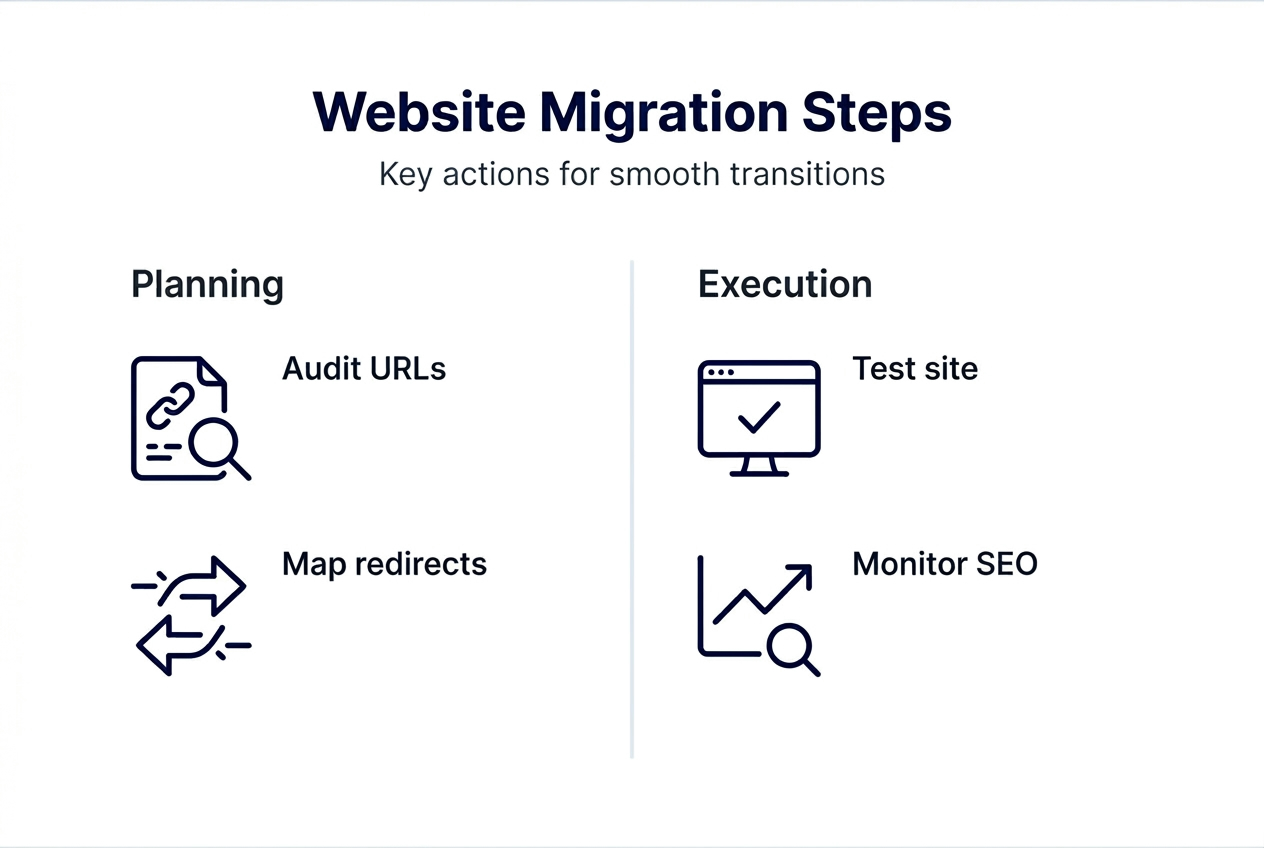
CMS platform switches require extensive QA because they function like complete code rewrites affecting data storage, template rendering, and plugin interactions. Test every form, search function, and dynamic element across browsers and devices. What worked flawlessly in your old CMS may break unexpectedly in the new environment.
URL structure changes compound complexity by affecting hreflang tags, canonical declarations, and redirect logic simultaneously. When you alter URL patterns, every reference across your site and external properties needs updating. International sites face particular challenges as language and regional variations multiply the number of affected URLs exponentially.
Pro Tip: Create a redirect testing protocol that checks both automated tools and manual spot checks across your highest traffic pages, ensuring redirects work correctly and land users on contextually relevant destinations.
301 redirects preserve link equity by telling search engines and browsers that content has permanently moved to a new location. Unlike temporary 302 redirects that signal temporary changes, 301s transfer ranking signals to the new URL. Implement every redirect before launch and verify each one functions correctly through testing tools and manual verification.
Navigation and internal linking structures often require rebuilding during redesigns. Map your existing link architecture noting which pages serve as hubs connecting related content. Preserve these strategic connections in your new structure to maintain topical authority clustering that search engines recognize and reward.
| Migration Type | Primary Risks | Best Practices |
|---|---|---|
| CMS Platform Switch | Data loss, functionality breaks, template errors | Extensive QA testing, parallel environment validation, gradual rollout |
| URL Structure Change | Broken redirects, lost rankings, confused users | Individual URL mapping, 301 redirect verification, Search Console monitoring |
| Domain Migration | Authority transfer delays, tracking discontinuity | DNS preparation, analytics configuration, extended monitoring period |
| Design Overhaul | Navigation confusion, conversion drops | User testing, A/B comparison, gradual feature deployment |
Google Search Console monitoring becomes mission critical during the first two weeks post-launch. Check daily for crawl errors, coverage issues, and indexation problems that signal technical problems requiring immediate fixes. Configure email alerts so your team learns about spikes in errors within hours, not days. Explore WordPress new hosting optimizations that support CMS migrations.
Post-migration monitoring and recovery: managing traffic and SEO impact
Your migration doesn’t end at launch. The following weeks determine whether careful planning translates into sustained success or gradual decline.
Expect initial traffic fluctuations as search engines recrawl and reassess your site. A 10-30% dip in organic sessions during the first week is normal, not catastrophic. What matters is the trajectory. Declining numbers that stabilize and reverse within days signal healthy recovery. Continuing drops suggest unresolved technical issues demanding urgent attention.
Implement a monitoring dashboard tracking these critical metrics:
- Organic session volume compared to pre-migration baseline
- Keyword ranking positions for your top 50 money terms
- Crawl error rates and 404 responses in Search Console
- Index coverage showing successfully crawled and indexed pages
- Page speed metrics ensuring performance hasn’t degraded
- Conversion rates confirming user experience remains intact
Broken redirects and missing metadata create the most common post-launch emergencies. Run comprehensive crawls immediately after migration to identify redirect chains, loops, and orphaned pages that lost their connection to your site structure. Fix these issues within 24-48 hours before search engines fully recrawl affected sections.
Pro Tip: Establish a rapid response team including SEO specialists, developers, and hosting support who can troubleshoot urgent issues outside normal business hours when problems often surface.
Communication protocols between teams prevent small issues from becoming disasters. When your SEO team spots ranking drops, they need direct channels to developers who can investigate technical causes and deploy fixes quickly. Bureaucratic approval chains that delay responses by days guarantee traffic loss becomes permanent.
Traffic recovery timelines vary but follow predictable patterns. Sites with proper redirect implementation and minimal technical errors typically stabilize within two weeks and recover fully within 2 to 4 weeks post-migration. However, the stakes are high because 42% of sites never fully recover their pre-migration traffic levels due to inadequate monitoring and correction.
“Recovery speed correlates directly with monitoring intensity and fix deployment velocity during the critical first month after migration.”
Phased rollouts using feature flags reduce risk on major content or design changes. Instead of switching everything instantly, gradually expose users to new features while monitoring impact on engagement and conversions. If metrics decline, you can disable problematic changes and investigate root causes before full deployment. Learn more about hosting setup in our how to set up web hosting business website guide.
Optimize your hosting for smooth website migrations with ThunderHosting
Successful migrations depend on reliable infrastructure that stays responsive during high-stress transition periods.
ThunderHosting delivers the performance foundation your migration needs. Our high performance affordable web hosting solutions minimize downtime risks through redundant systems and expert support teams who understand migration complexities. When you’re coordinating multiple technical changes simultaneously, hosting stability removes one major variable from your risk equation.
Our dedicated server options give you complete control during migrations, allowing parallel environment testing that catches problems before they affect live traffic. Explore our dedicated server setup guide hosting success to understand how enterprise-grade infrastructure supports seamless transitions. With data centers across Germany, Singapore, Finland, and US regions, you’ll maintain fast load times regardless of where your audience lives.
Frequently asked questions
What is website migration and why is it important?
Website migration involves moving your site’s content, URLs, or underlying platform to a new environment while preserving functionality and search visibility. It’s critical because poorly executed migrations destroy years of SEO progress and damage user trust through broken experiences. Successful migrations improve site performance, enable better technology adoption, and strengthen competitive positioning when done correctly.
How can I minimize traffic loss during a website migration?
Implement comprehensive URL mapping with individual 301 redirects for every existing page to prevent 404 errors and preserve link equity. Conduct thorough SEO audits before and after migration, identifying high-value pages that require special attention and monitoring. Use phased rollouts that limit exposure, monitor Google Search Console daily for emerging issues, and prepare stakeholders for normal 2-4 week recovery timelines.
What technical issues should I watch for after migrating my website?
Broken links and incorrect 301 redirects top the list of post-migration problems that tank SEO performance if left unaddressed. Crawl errors, indexation failures, and missing metadata commonly emerge during the first week as search engines recrawl your updated site. Monitor analytics and Search Console data daily during the first month, enabling rapid troubleshooting before temporary issues become permanent traffic losses.
How long does it typically take to recover traffic after a website migration?
Most well-executed migrations experience initial 10-30% traffic dips that stabilize within one week and recover completely within 2-4 weeks post-launch. Recovery speed depends on redirect accuracy, technical issue resolution velocity, and continued content quality. Sites with ongoing technical problems or inadequate monitoring often see extended recovery periods or permanent traffic loss affecting business performance long-term.
Should I migrate my entire website at once or use a phased approach?
Phased migrations reduce risk by limiting exposure and enabling faster problem identification before full deployment. Start with low-traffic sections or internal pages, monitoring performance before migrating high-value commercial pages. This approach lets you refine processes, catch unexpected issues in controlled conditions, and build team confidence before tackling mission-critical content that directly impacts revenue.