

Selecting web hosting can feel overwhelming when your website is crucial to your business’s success, but the wrong choice can cause costly downtime and slow performance. Many small and medium business owners struggle with understanding hosting types, assessing technical needs, and balancing cost with security. This guide walks you through hosting options, security considerations, pricing models, and common pitfalls so you can make a confident decision that supports your business goals and growth.
Table of Contents
- Introduction To Web Hosting Types
- Assessing Your Business Needs And Traffic
- Security And Compliance Considerations In Swiss Hosting
- Choosing The Right Hosting Plan
- Step-By-Step Hosting Selection Process
- Common Mistakes And Troubleshooting
- Expected Results And Success Metrics
- Find Your Ideal Web Hosting At ThunderHosting
- Frequently Asked Questions
Key takeaways
| Point | Details |
|---|---|
| Hosting types vary | Shared hosting suits low traffic sites, VPS offers dedicated resources for growing businesses, and dedicated servers handle high traffic and specialized needs. |
| Assess your needs | Estimate current and future traffic, identify technical requirements, and plan for scalability to match the right hosting type. |
| Security is critical | SSL certificates, firewalls, backups, and Swiss data compliance protect customer data and build trust. |
| Compare plans carefully | Evaluate cost, performance, support quality, and migration services to find the best fit for your budget and business goals. |
| Avoid common mistakes | Underestimating traffic, skipping SSL, ignoring backup policies, and overlooking contract terms lead to downtime and hidden costs. |
Introduction to web hosting types
Understanding the core hosting options is the foundation for making a smart choice. Shared hosting places your website on a server with many other sites, sharing CPU, RAM, and bandwidth. VPS (Virtual Private Server) hosting partitions a physical server into isolated virtual environments, giving you dedicated resources and greater control. Dedicated server hosting provides an entire physical machine exclusively for your site, offering maximum performance and customization.
Each type has distinct trade-offs. Shared hosting is the most affordable and easiest to start with, making it ideal for small businesses with low to moderate traffic and simple technical needs. However, resource sharing can lead to slower load times if neighboring sites experience traffic spikes. VPS offers dedicated resources and better security compared to shared hosting, which shares resources among multiple sites, making it suitable for businesses expecting steady growth or needing custom software installations. Dedicated servers deliver the highest performance and full administrative access but come with higher costs and require technical expertise to manage.
Cost increases with control and performance. Shared hosting typically runs $5 to $20 per month, VPS ranges from $30 to $150 monthly depending on resources, and dedicated servers start around $100 and can exceed $500 monthly for enterprise-grade hardware. For most small businesses launching their first site, shared hosting offers a practical entry point. As traffic grows or technical demands increase, upgrading to VPS or eventually a dedicated server becomes necessary.
| Hosting Type | Pros | Cons | Best For |
|---|---|---|---|
| Shared | Low cost, easy setup, managed by provider | Limited resources, slower speeds, less control | Small sites, low traffic, tight budgets |
| VPS | Dedicated resources, scalable, better security | Moderate cost, some technical knowledge needed | Growing businesses, moderate to high traffic |
| Dedicated | Full control, maximum performance, exclusive resources | High cost, requires technical expertise | High traffic, specialized apps, large e-commerce |
For a deeper comparison of VPS versus dedicated options in the Swiss market, explore VPS vs dedicated servers in Switzerland for 2026.
Assessing your business needs and traffic
Choosing the right hosting starts with understanding your website’s purpose and visitor patterns. Estimate how many people will visit your site monthly. A local service business might see 500 to 2,000 visits per month, while an online store could attract 5,000 to 50,000 or more. These numbers directly influence the server resources you need.
Identify your technical requirements. Will you run WordPress, Shopify, custom applications, or multiple databases? Do you need specific PHP versions, SSL certificates, or email hosting? List these before comparing plans. Scalability matters too. If you plan to add products, launch marketing campaigns, or expand services, your hosting must grow with you without requiring a complete migration.
Consider these factors when assessing your needs:
- Current monthly traffic and projected growth over the next 12 to 24 months
- Software and platform requirements (CMS, e-commerce, custom code)
- Storage needs for images, videos, databases, and backups
- Expected number of email accounts and bandwidth for file transfers
- Budget constraints and willingness to invest in performance and security
Pro Tip: Use analytics tools like Google Analytics or your current host’s dashboard to track visitor trends. If you see consistent month-over-month growth exceeding 20%, plan to upgrade hosting within six months to avoid slowdowns.
For step-by-step guidance on launching your site, review how to set up web hosting for a business website.
Security and compliance considerations in Swiss hosting
Security is non-negotiable for businesses handling customer data, payments, or personal information. Swiss businesses must comply with the Swiss Federal Data Protection Act, which mandates strict data residency and privacy controls for hosting providers. This law requires that personal data collected from Swiss residents be stored and processed in ways that protect privacy and limit unauthorized access.

Server location affects compliance and performance. Hosting your site on Swiss or nearby European data centers ensures data stays within jurisdictions with strong privacy protections. It also reduces latency for local visitors, improving page load speeds.
Essential security features include:
- SSL/TLS certificates to encrypt data between your site and visitors
- Firewalls and DDoS protection to block malicious traffic
- Automated daily backups stored offsite for disaster recovery
- Regular software updates and security patches managed by your host
- Two-factor authentication for account and server access
Compliance builds customer trust. When visitors see a padlock icon in their browser and know their data is protected under Swiss law, they’re more likely to complete purchases and share information. Neglecting security exposes you to data breaches, legal penalties, and reputational damage.
For businesses prioritizing data protection, explore secure website hosting processes for Swiss businesses and understand why VPS hosting benefits Swiss SMBs in 2026.
Choosing the right hosting plan
Comparing hosting plans requires balancing cost, performance, support, and migration assistance. Shared hosting plans often start under $10 monthly but may limit bandwidth, storage, and the number of email accounts. VPS plans provide more resources and flexibility, typically ranging from $30 to $100 monthly depending on CPU cores, RAM, and storage. Dedicated servers offer full control and power, with pricing starting around $100 and scaling up based on hardware specifications.
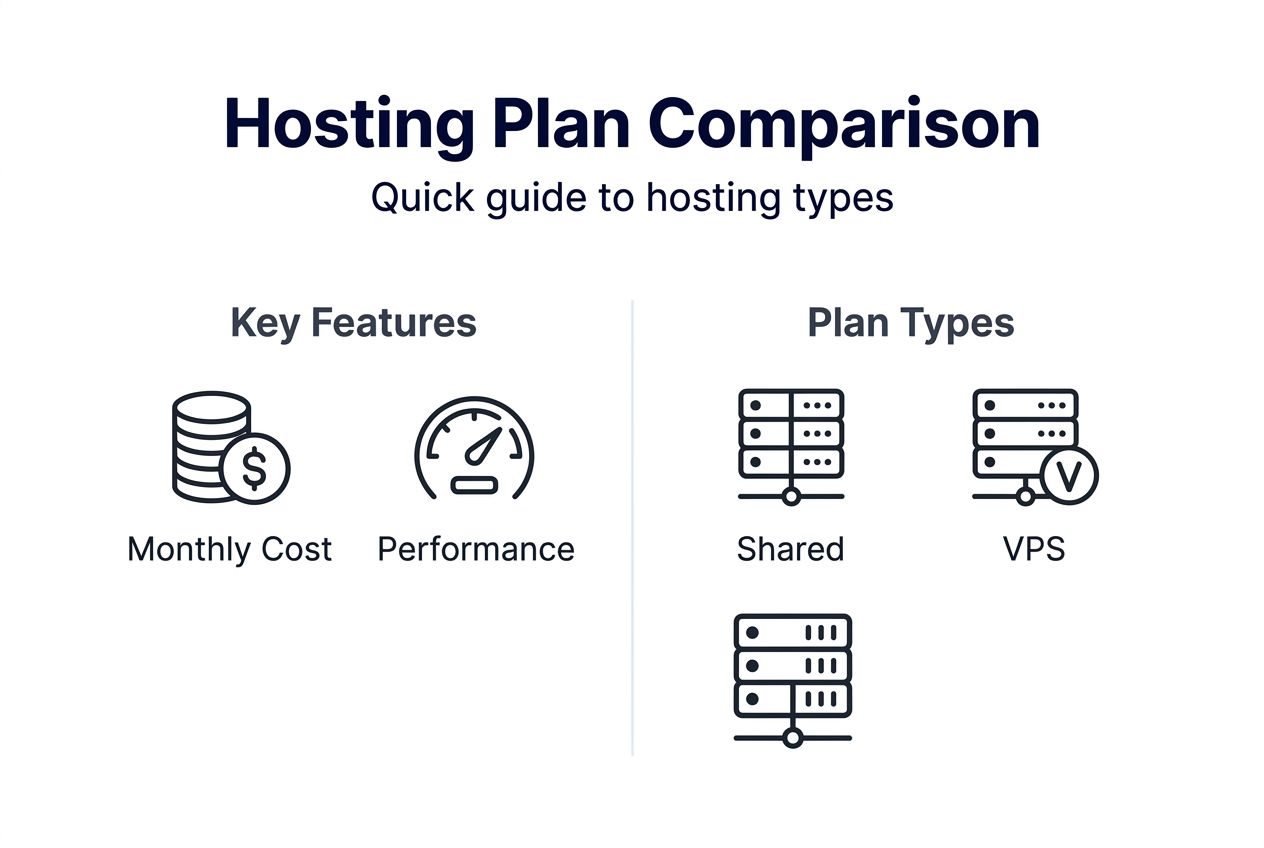
Performance versus cost is the central trade-off. Shared hosting saves money but can suffer from slow speeds during traffic surges because resources are split among many users. VPS hosting delivers consistent performance with isolated resources, making it ideal for businesses experiencing steady growth. Dedicated servers guarantee maximum speed and uptime but require a larger budget and often technical staff to manage.
Support quality matters as much as hardware. Look for hosts offering 24/7 live chat, phone support, and knowledgeable technicians who can resolve issues quickly. Migration services are critical if you’re switching from another provider. Free migrations with zero downtime minimize disruption and technical headaches.
| Plan Feature | Shared | VPS | Dedicated |
|---|---|---|---|
| Monthly Cost | $5 to $20 | $30 to $150 | $100 to $500+ |
| Performance | Variable, shared resources | Consistent, dedicated resources | Maximum, exclusive hardware |
| Support | Basic, slower response | Priority, faster response | Premium, dedicated account manager |
| Migration Help | Limited or paid | Often free with setup | Free with onboarding |
Pro Tip: Read contract terms carefully. Some hosts advertise low introductory rates but increase renewal prices by 50% or more after the first year. Confirm renewal pricing, cancellation policies, and money-back guarantees before committing.
For Swiss SMEs looking to reduce downtime, review how to choose hosting plans with 75% less downtime.
Step-by-step hosting selection process
Follow this sequence to secure the right hosting with confidence:
-
Assess website purpose and traffic. Define whether your site is informational, e-commerce, a blog, or a custom application. Estimate monthly visitors and peak traffic periods. Document technical requirements like CMS platforms, databases, and integrations.
-
Compare hosting providers and plans. Research at least three providers. Compare pricing, included resources (storage, bandwidth, email accounts), uptime guarantees, and data center locations. Read customer reviews focusing on support responsiveness and reliability.
-
Confirm security and compliance. Verify that the host offers SSL certificates, automated backups, firewalls, and compliance with Swiss data protection laws. Check if data centers are located in Switzerland or the EU.
-
Evaluate migration and setup support. Ask if the provider offers free migration from your current host. Confirm that they provide onboarding assistance, documentation, and troubleshooting during the first weeks.
-
Purchase and implement hosting. Select a plan, register your domain if needed, and complete the purchase. Use the host’s control panel or work with their support team to migrate your site, configure DNS, and test functionality.
-
Monitor performance regularly. After launch, track uptime, page load speeds, and visitor experience. Set up alerts for downtime or slow response times. Review analytics monthly to identify trends that may require a plan upgrade.
For additional setup guidance, visit how to set up web hosting for a business website.
Common mistakes and troubleshooting
Avoiding frequent errors saves time, money, and customer frustration. Underestimating traffic growth is the top mistake. Many businesses start with minimal hosting and experience crashes when traffic spikes from marketing campaigns or seasonal demand. Plan for at least 50% more capacity than your current needs.
Ignoring SSL and backup importance puts your site at risk. Search engines penalize non-HTTPS sites, and without backups, a server failure or hack can erase your entire site. Always enable SSL and schedule automated daily backups with offsite storage.
Skipping migration support causes downtime and technical problems. Moving a website involves transferring files, databases, email accounts, and DNS records. One misconfiguration can take your site offline for hours or days. Use a host that offers free, hands-on migration with a guarantee of zero downtime.
Failing to test performance post-launch leads to undetected issues. After migrating, check page load speeds, form submissions, checkout processes, and mobile responsiveness. Run tests from multiple devices and browsers.
Not reviewing pricing and terms upfront results in surprise costs. Some hosts charge extra for SSL, backups, or exceeding bandwidth limits. Others lock you into multi-year contracts with steep cancellation fees.
Common pitfalls to avoid:
- Choosing the cheapest plan without considering resource limits
- Overlooking renewal pricing that doubles after the first year
- Skipping security features like firewalls and DDoS protection
- Ignoring customer reviews mentioning poor support or frequent outages
- Delaying upgrades until after performance problems hurt your business
Pro Tip: Set calendar reminders to review your hosting performance and contract terms every six months. This proactive approach helps you catch problems early and renegotiate or switch providers if needed.
For more on avoiding security lapses, see secure website hosting processes for Swiss businesses. You can also consult a common hosting mistakes checklist for additional insights.
Expected results and success metrics
Knowing what success looks like helps you evaluate your hosting choice over time. Uptime is the primary metric. A reliable host delivers 99.9% uptime or better, meaning your site is accessible nearly all the time. Anything below 99.5% indicates frequent outages that harm user experience and search rankings.
Page load speed directly impacts conversions and visitor satisfaction. Aim for load times under two seconds on desktop and mobile. Studies show that delays beyond three seconds cause over half of visitors to abandon a site. Fast hosting with optimized servers and content delivery networks (CDNs) keeps speeds in the ideal range.
Scalability ensures your site handles traffic spikes without slowdowns. A good hosting plan lets you increase resources quickly during peak periods, such as product launches or holiday sales. VPS and dedicated servers excel here, while shared hosting often struggles.
Compliance with Swiss data privacy laws protects your business legally and builds customer trust. Confirm that your host meets all requirements of the Swiss Federal Data Protection Act, including data residency and encryption standards.
Seamless migration with zero downtime is the final benchmark. If your host can move your site from another provider without interrupting service, you’ve chosen a provider with strong technical capabilities and customer support.
Key success indicators:
- Consistent uptime at 99.9% or higher over three months
- Average page load times under two seconds across devices
- Ability to handle 200% to 300% traffic surges without performance degradation
- Full compliance with Swiss data protection and privacy regulations
- Smooth migration completed within 24 to 48 hours with no visitor impact
For e-commerce businesses, uptime and security are especially critical. Learn more about Swiss e-commerce hosting focused on uptime and security.
Find your ideal web hosting at ThunderHosting
Now that you understand how to evaluate hosting options, it’s time to find a provider that matches your business needs. ThunderHosting offers flexible web hosting plans designed for small and medium businesses in Switzerland and beyond. Whether you need affordable shared hosting to launch your first site or scalable VPS hosting options to support growth, ThunderHosting delivers reliable performance backed by 24/7 expert support.
For businesses with high traffic or specialized technical requirements, explore dedicated server hosting that provides exclusive hardware and full administrative control. ThunderHosting includes free migration services, ensuring your transition is smooth and downtime-free. Competitive pricing, Swiss data center locations, and a commitment to security and compliance make ThunderHosting the trusted choice for SMBs and e-commerce entrepreneurs ready to grow online.
Frequently asked questions
What is the difference between shared, VPS, and dedicated hosting?
Shared hosting places multiple websites on one server, sharing all resources, which keeps costs low but can slow performance during traffic spikes. VPS hosting partitions a server into isolated environments, giving you dedicated CPU, RAM, and storage for better speed and security. Dedicated hosting provides an entire physical server exclusively for your site, delivering maximum performance and control for high-traffic or specialized applications.
How do I know what hosting plan fits my business needs?
Estimate your current monthly traffic and project growth over the next year. Identify technical requirements like CMS platforms, databases, and custom applications. Match your traffic volume and technical needs to the pros and cons of shared, VPS, and dedicated hosting. Start with shared hosting if you have low traffic and a tight budget, upgrade to VPS as you grow, and consider dedicated servers for high-traffic or complex sites.
What security features should I prioritize for Swiss web hosting?
Prioritize SSL certificates to encrypt data between your site and visitors, protecting sensitive information. Ensure your host provides firewalls, DDoS protection, and automated daily backups stored offsite. Confirm compliance with the Swiss Federal Data Protection Act, including data residency in Swiss or EU data centers. For detailed guidance, visit secure hosting for Swiss businesses.
Can I upgrade my hosting plan as my business grows?
Most VPS and dedicated hosting plans allow easy upgrades by adding CPU cores, RAM, or storage with minimal downtime. Shared hosting often has fixed resource limits, making upgrades difficult and requiring a migration to VPS or dedicated servers. Plan upgrades in advance by monitoring traffic trends and performance metrics, so you can scale before slowdowns affect your site.